How to build a starter smart home for under $100 from AliExpress
By Elena Maris · Updated May 15, 2026
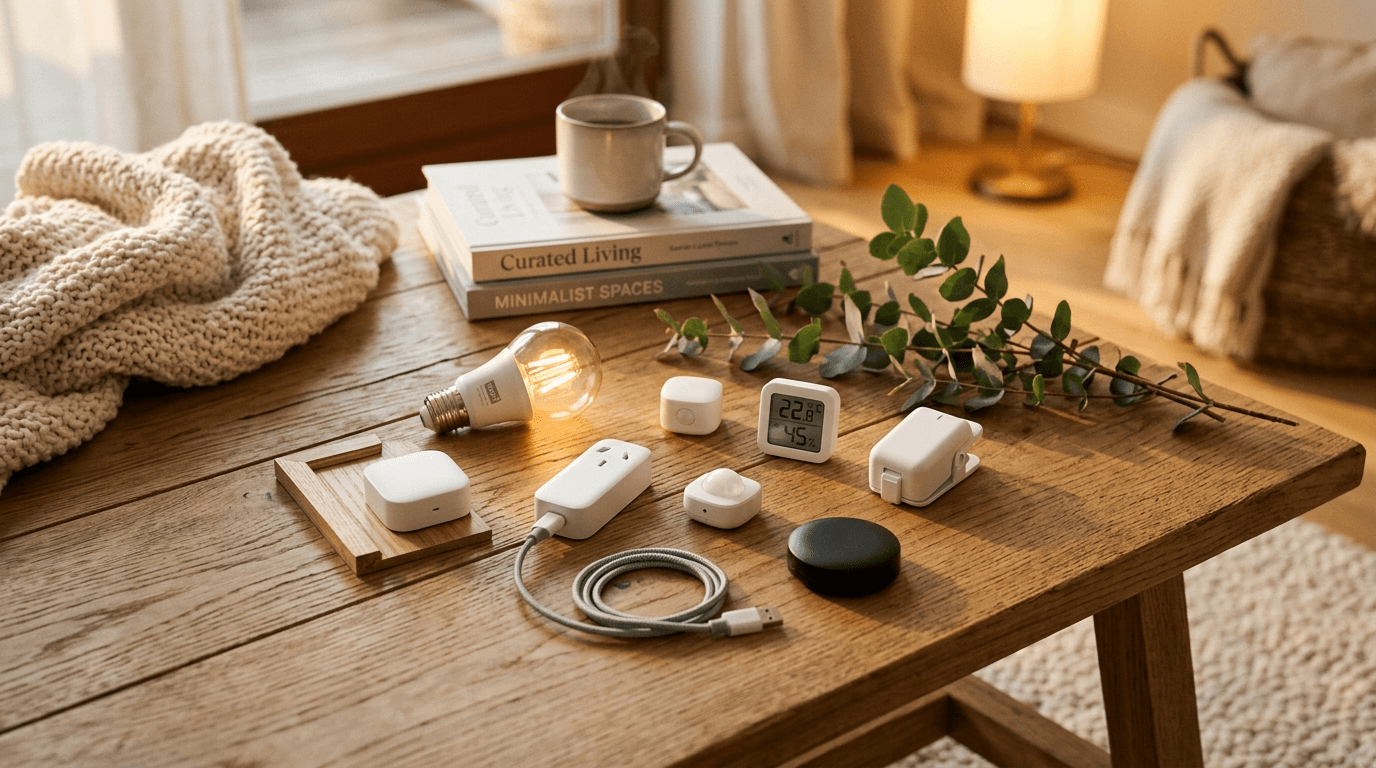
The smart-home industry loves to convince you that “real” smart homes cost thousands. That's nonsense. With $100 on AliExpress and one Saturday afternoon, you can install eight devices that change how you actually live in your home — lights that follow your evenings, sensors that warn you about a left-open door, and a smart speaker that doesn't pretend to be a friend.
This is the exact starter kit I'd build today for a 1-2 bedroom apartment. All prices checked early June 2026, total $93 shipped to most countries.
The eight devices ($93 total)
- 2× Tuya RGB + warm-white smart bulbs (E27) — $14 — main rooms
- 2× Tuya Wi-Fi smart plugs with power metering — $12 — kettle and TV
- 1× Tuya temperature/humidity sensor — $9 — bedroom
- 1× Tuya PIR motion sensor — $10 — hallway
- 1× Smart IR remote bridge — $11 — controls your existing AC, fan, old TV
- 1× Single-button Wi-Fi remote — $4 — bedside “everything off”
- Wi-Fi mesh-friendly 2.4 GHz router setting (free — most routers already do this)
- Tuya / Smart Life app (free)
Add a $30 Aqara or Sonoff Zigbee hub later (around device #10) and migrate the sensors to Zigbee — see our Tuya vs Zigbee comparison for why.
What you can do day one
- Voice-controlled bedroom lights — “Alexa, dim the bedroom to 30%.”
- Power-off scene at bedtime — one tap of the bedside remote, three devices switch off.
- Bathroom humidity alert — get a notification when the bathroom is over 75% humidity for more than 20 min (sign of a fan that's not pulling enough air).
- Phantom-load tracking — your TV and kettle plugs show you how many kWh phantom standby is eating per month.
- Hallway motion light — walk down the hallway at night, lights come up to 20% warm white, fade out after two minutes.
- Sleep schedule — bulbs auto-dim every weeknight at 9pm, lights-out at 11pm.
Setup, in order
1. Get the Wi-Fi right first
Tuya devices want 2.4 GHz Wi-Fi. If your router runs a combined 2.4 / 5 GHz SSID, temporarily split them (or disable 5 GHz on your phone) while pairing. Once paired, you can turn everything back on.
2. Install the Smart Life app first, not the manufacturer's
Almost every Tuya-based device pairs to the Smart Life or Tuya app. Use that one app for all eight devices and skip the half-dozen branded apps that come up at pairing. Cleaner long-term.
3. Name devices by room before anything else
“Bedroom plug” not “Plug 1.” Future-you with 20 devices will thank present-you.
4. Build two scenes on day one
Start with “Out” (everything off) and “Evening” (warm dim lights, TV plug on). Two scenes is enough to change your routine. You'll add more naturally.
What we deliberately left OUT of the $100 build
- Security cameras — privacy track record on no-name AliExpress cameras is dicey. Spend Amazon prices on this one.
- Smart locks — firmware update story isn't there. Same answer.
- In-wall smart switches — anything that wires into mains needs a real safety certification.
- Smart-home hub — not yet. Get value from device #1 first.
The cheapest path into a smart home that earns its keep isn't the $30-per-device path — it's the $10-per-device path with one Saturday of patience.
After 6 months: where this kit usually grows
Most readers who start with this kit add three things in the first six months: more sensors (because you realize automating by sensor is more satisfying than automating by schedule), a Zigbee hub (because batteries on the Wi-Fi sensors get annoying), and one premium device the cheap version couldn't do — usually a vacuum mop or a thermostat.
That second phase costs another $100-200, brings the total to about $250, and lands you in the realistic “serious AliExpress smart home” territory most readers are aiming for anyway.
Similar posts

Comments
Notes are moderated — thank you for keeping this corner kind. Post ID: post-2026-05-smart-home-under-100-en